MyDMD CAD Free Beta
Printable dental models from your intraoral scans
Open the upper and lower scans, set the bite, and save STL files ready for your 3D printer — right in the browser, on a computer, an iPad or an iPhone.
Free. No sign-up and nothing to install. Try it on the demo case first.
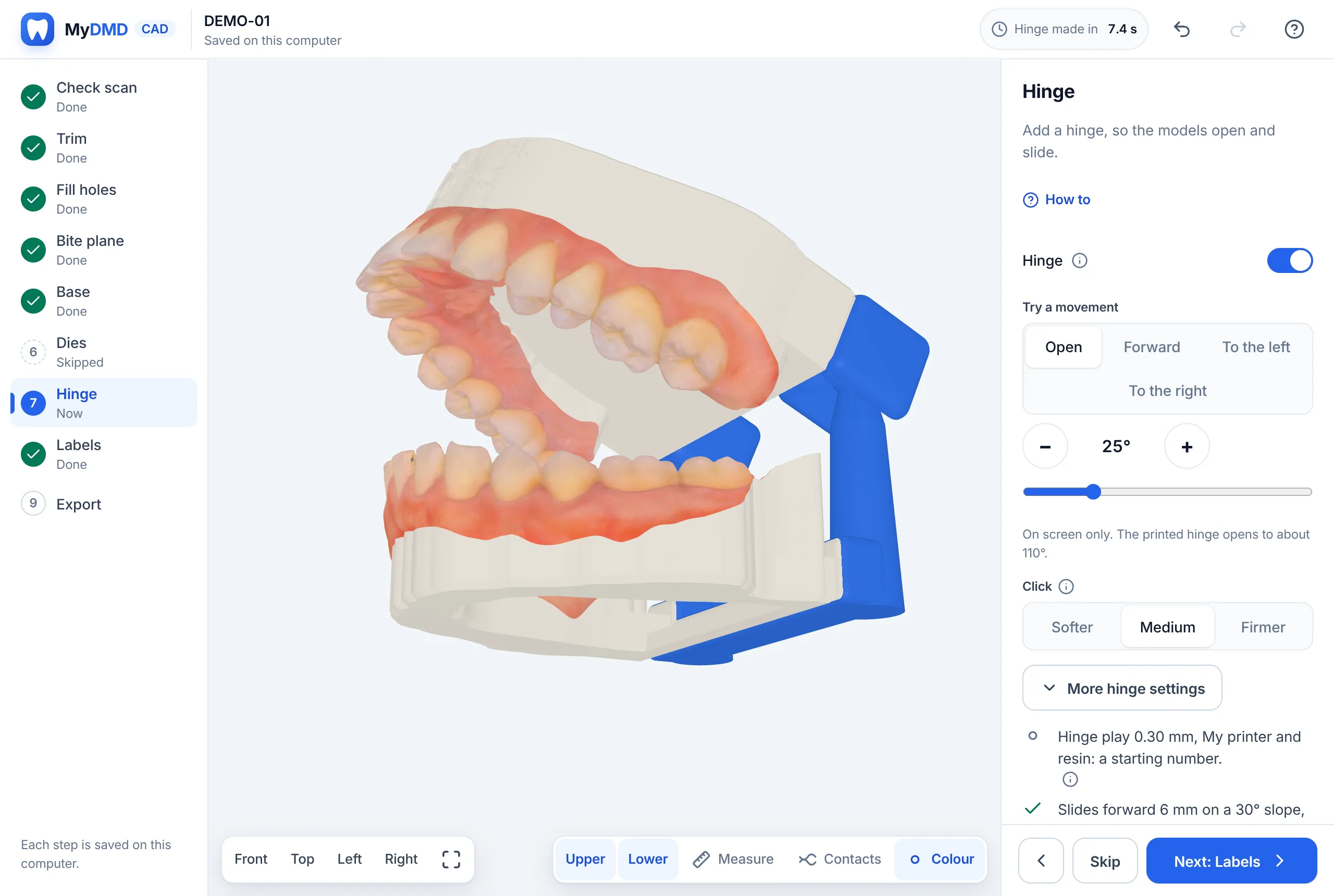
The demo case: real scans, shown with the patient’s permission.
What it makes
Everything a lab model needs, in one place, with Undo at every step.
Bases
Solid, hollow or honeycomb to save resin, with drain holes, plus an ortho (ABO) base. The lower can be left open on the tongue side.
Pinless dies
Removable dies with optional friction bars, a ditched model, or a separate die — no pins to place.
Our own hinge
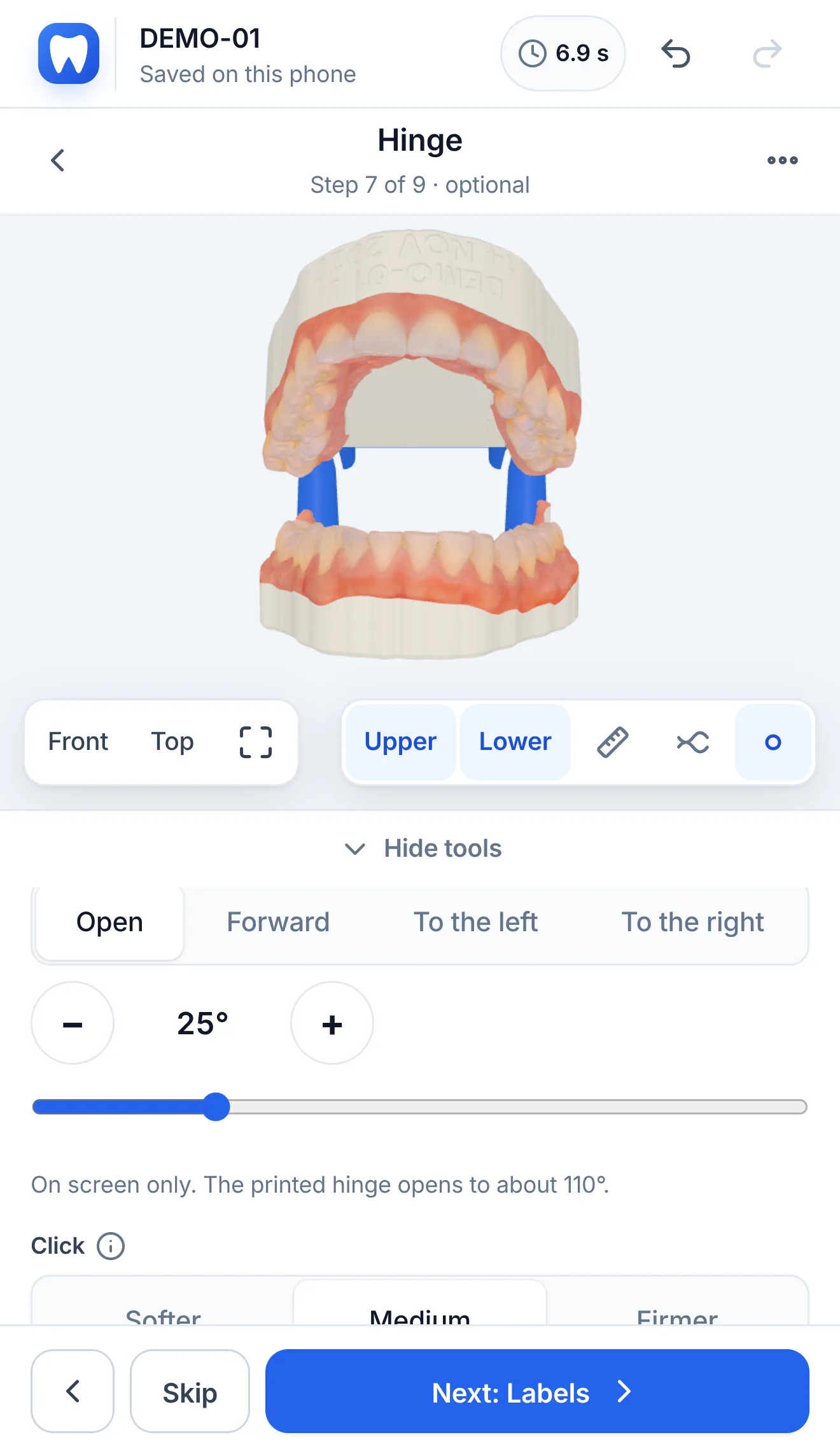
Printed with the models: it opens, closes, and slides forward and to each side. Try the movements on screen first.
Labels
The case code and date, pressed in or raised. The patient’s name goes on only if you switch it on.
Checks before you print
A bite contact map, a ruler, and a cut-through view to see wall thickness.
Files for your slicer
STL files checked to be closed and solid before they are saved, with a one-page case report.
How it works
-
Step 1
Open the scans
Export the upper and lower from your scanner as STL or PLY. PLY keeps the scan’s colour. Give the case a code, never the patient’s name.
-
Step 2
Check the bite plane
The scans are tidied for you, then the app stops once to ask if the bite is level. Upper and lower always move together.
-
Step 3
Make the model, save the files
One tap makes your usual model. Want dies, a hinge or a different base? Show all the steps and change anything.
Tune it to your printer once
Print the small calibration block, measure it, and the app remembers the die gap, the hinge play and the resin’s shrinkage for that printer and resin.
Your patients’ scans stay on your device
Every model is made on your own computer, iPad or iPhone. Scans are never uploaded: there are no accounts, no adverts and no tracking. Scans are never used to train AI.
Each step is saved in the browser, so you can close it and carry on later. Saved cases are not a backup, so keep your original scan files.
Made for a finger first
No lab computer free? Big buttons and sliders work on an iPad or iPhone as well as with a mouse. On a computer, use Chrome or Edge.
It’s a beta
MyDMD CAD is free, and it is still being tested. Check every model before you use it for a patient, and tell us what to improve.
MyDMD CAD is separate from the MyDMD clinic app: you don’t need a MyDMD account to use it.